Stellar Order explained in depth
Place your supplier orders without phone calls or late-night WhatsApps, and know afterwards where the money went. With real screenshots of the tool.
In most restaurants the supplier order goes out over WhatsApp at eleven at night, sent by whoever closes up, and a month later nobody knows how much was ordered or from whom. Stellar Order turns that into a catalogue, a cart and an email.
What you'll see
1. Who delivers today
The home screen isn't a list of suppliers: it's a weekly calendar that answers the question the manager actually asks — “who do I need to order from today?”. Each supplier appears on the days they deliver, and the current day is highlighted.
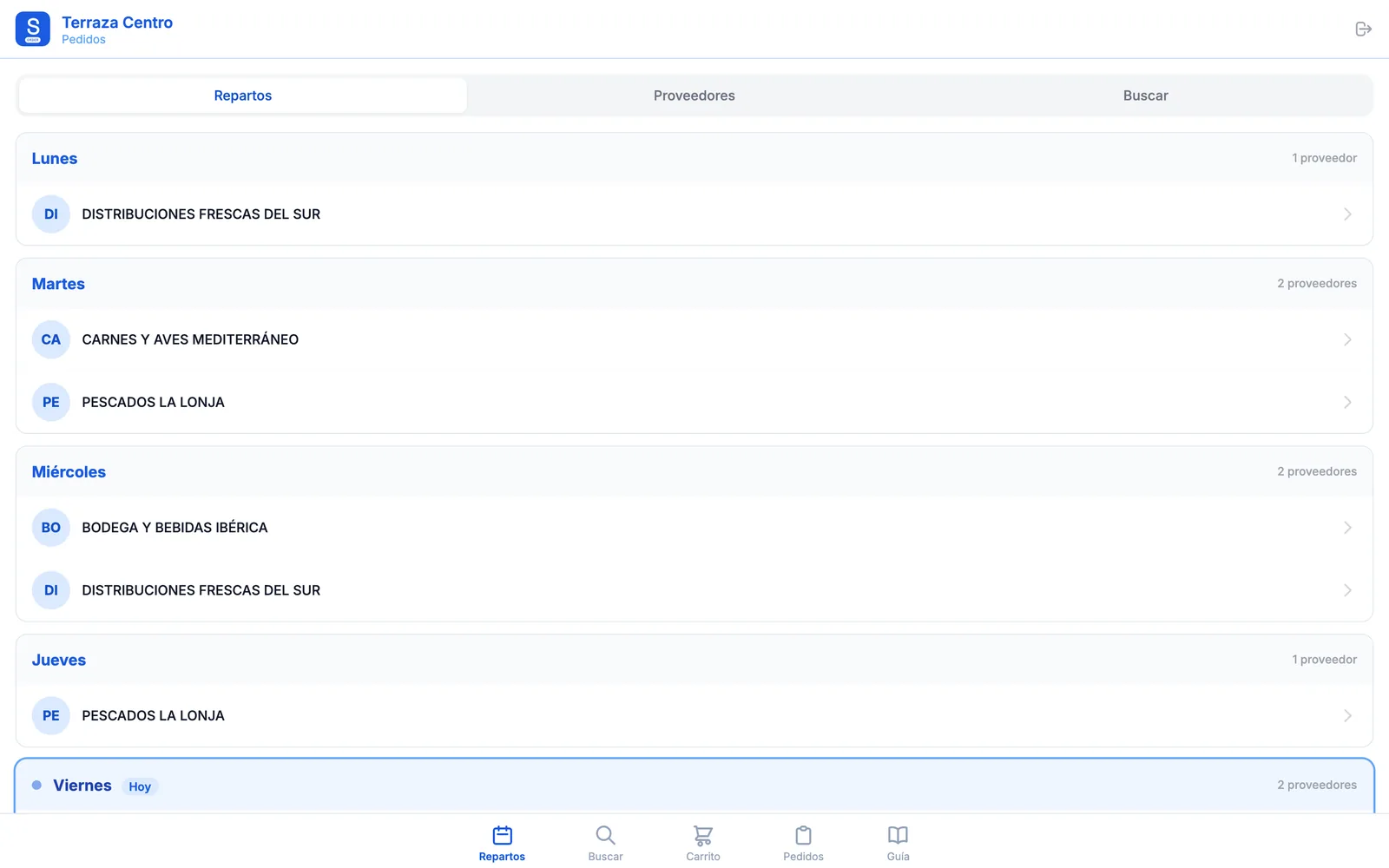
There are two more views: the suppliers list, showing how many products each one has and when you last ordered from them, and a search that looks for a product across all suppliers at once.
2. Each supplier's catalogue
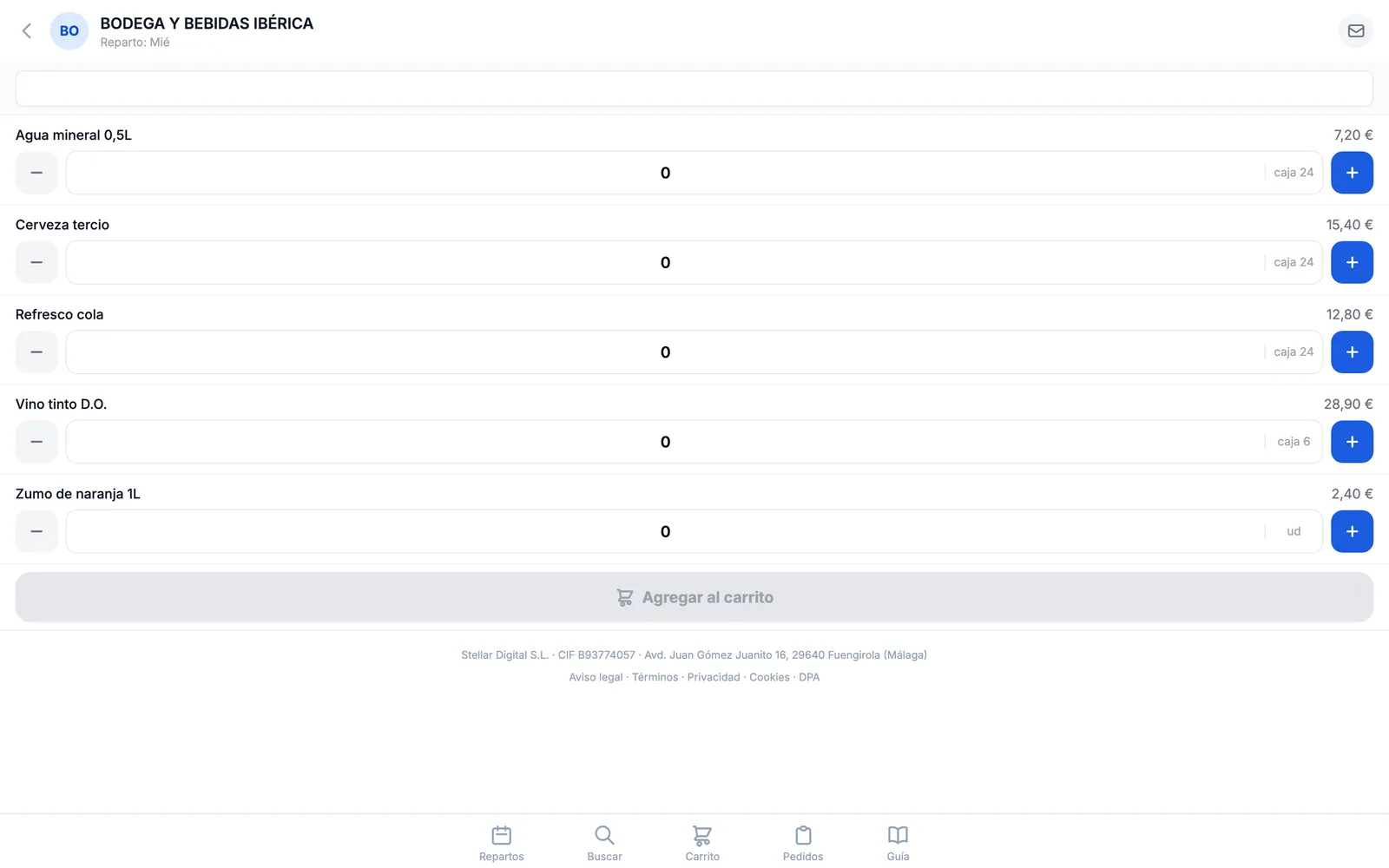
Each supplier has its own catalogue with item code, price, unit and VAT. Next to every product you see when you last ordered it, which is the quick way to spot what you're forgetting.
3. The cart and sending the order
The cart groups items by supplier and calculates the subtotal, the VAT breakdown by rate and the total. Before sending you pick the delivery date — the next day at the earliest — or “as soon as possible” if that supplier has no fixed day, and you can add a note.
The order is saved as a draft first and only moves to “sent” if the email actually goes out. If the email fails, the order isn't lost and it doesn't tell you it was sent: it stays saved and flagged, so you can retry.
4. What the supplier receives
The supplier doesn't have to install anything or sign up anywhere: they receive an email with the order laid out in a table, with the quantities, the net amount, itemised VAT and the total.
Two details that matter day to day: the sender carries your location's name, and when they reply, the reply reaches the location, not a generic inbox. There's also a per-supplier messages screen so you can write to them without leaving the tool, with the history saved.
5. History and traceability
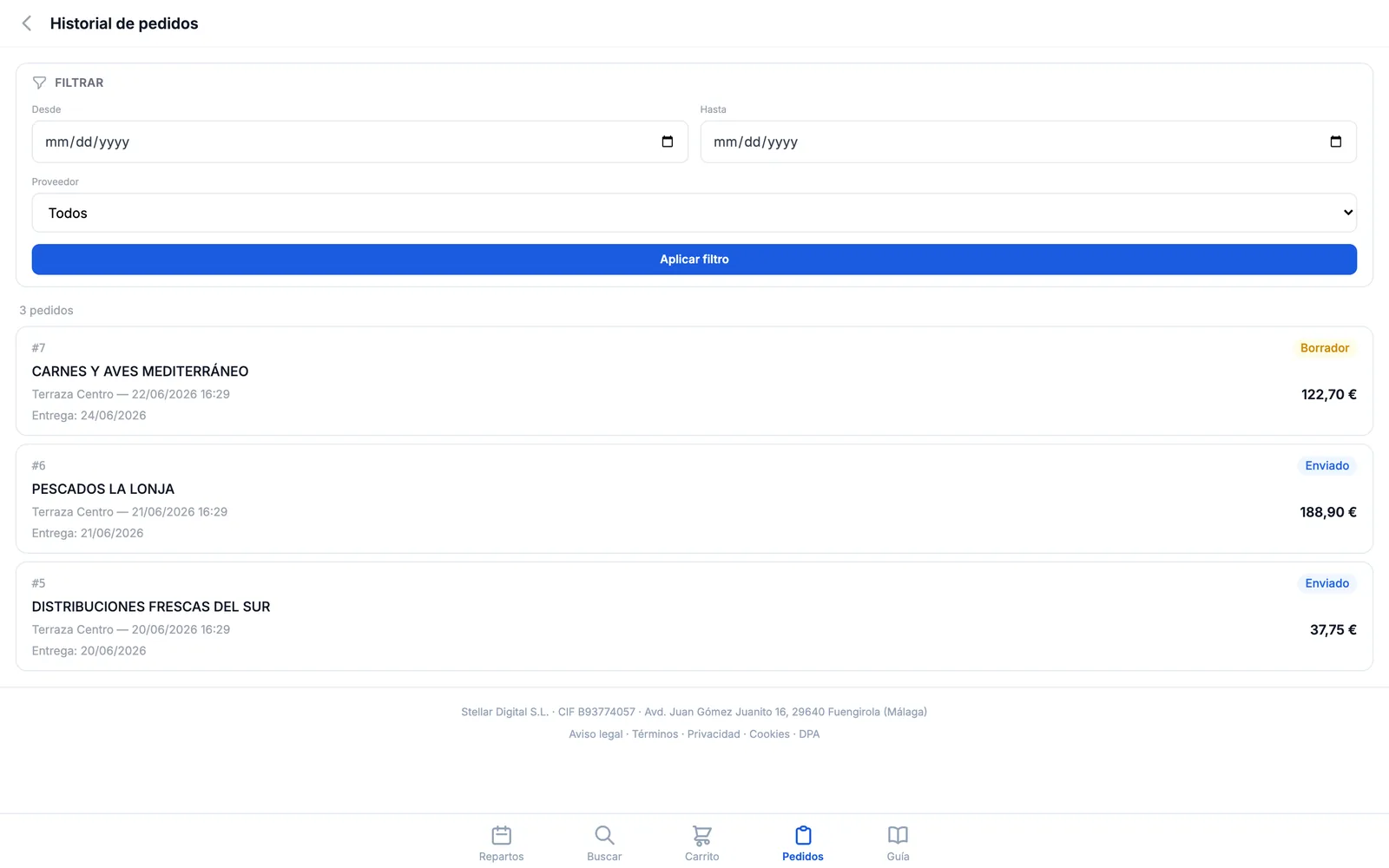
Every order is stored with its date, who placed it, the line items and the price each product had at that moment. Even if you later update the catalogue price, the old order keeps its own — which is what lets you argue an invoice with data.
6. Spend control
The owner's dashboard brings together what you spend and on what: the month's total, spend per location, per supplier and per product, which user orders the most, and activity by day of the week.
And there are forgotten-item alerts: suppliers and products that haven't been ordered in over two weeks. It's usually the first place you notice that a location stopped carrying an item without telling anyone.
7. Multiple locations
Each location has its own users, its own delivery days and even a different email for the same supplier, which is the norm when the supplier assigns a sales rep per area. When you create a new location you can duplicate another one's setup instead of doing the work twice.
8. Price
€29/month + VAT per location, or €290 a year. Unlimited suppliers and products, no features locked behind plans and no lock-in.
See it in action
The demo opens with sample data and suppliers already loaded. No sign-up.
Open the Order demo →