Lettus Salads · We built it for our own chain of 8 restaurants before we sold it to anyone.
Everything a food business needs to sell online
It isn't a shop-window website: it's a store that takes payment, delivers, invoices and builds loyalty.
Your menu, exactly how you want it
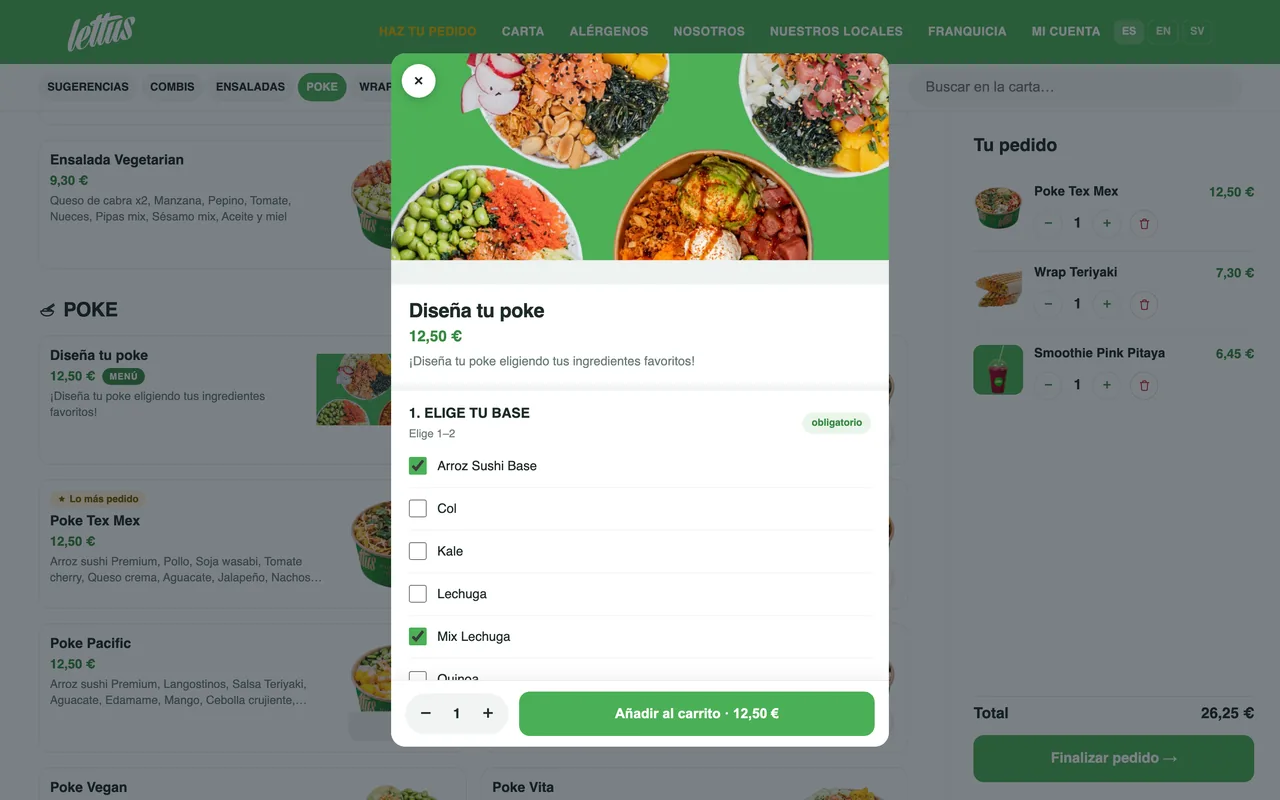
Categories, photos, allergens, extras and meal deals. Dishes the customer builds step by step, with their base, ingredients and add-ons. Anything that runs out is marked sold out instantly.
Card, Apple Pay and Google Pay
Secure payment with Stripe and the money straight into your account, never through us. If you like, customers can also pay in store when they collect.
Delivery areas by zone
Zones by distance, each with its own minimum order and delivery fee, which can drop above a certain order value. The address is placed on the map: if it falls outside, the order isn't accepted.
Scheduled orders
As soon as possible or at a set time, today or in the next few days. When the store is closed, the customer can schedule the order for when you open.
Loyalty anyone can understand
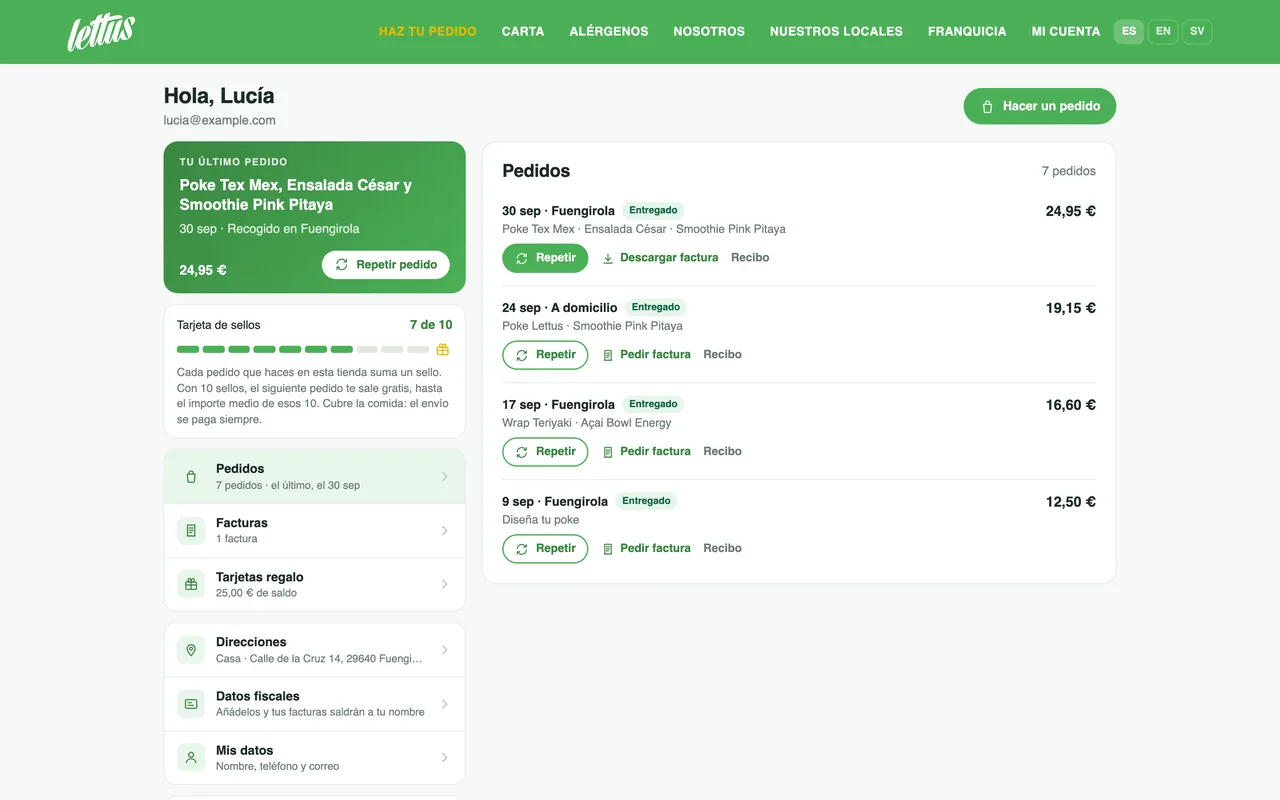
Every 10 orders, the next one is free up to the average value of those 10. No odd points, no tables: the customer sees their stamps in their account and comes back.
Coupons and gift cards
Coupons by percentage or fixed amount, first-order only or with a limit per customer, and you choose which stores they're valid in. Gift cards arrive by email and show up in the customer's account.
Customer accounts with no password
They sign in with their email and a one-time code or link. They save their addresses with the exact spot on the map and repeat a previous order with one tap.
Invoices and refunds
The customer requests their invoice with their tax details and downloads it whenever they like. If you refund all or part of an order from your dashboard, the money goes back to their card, they get an email and, if they already had an invoice, the credit note is issued automatically.
Spanish, English and Swedish
The whole store in three languages, and the menu translates automatically at the press of a button: descriptions, options and allergens. You correct whatever you like by hand. If you live off tourism, this sells.
Ordering is as easy as on the big platforms
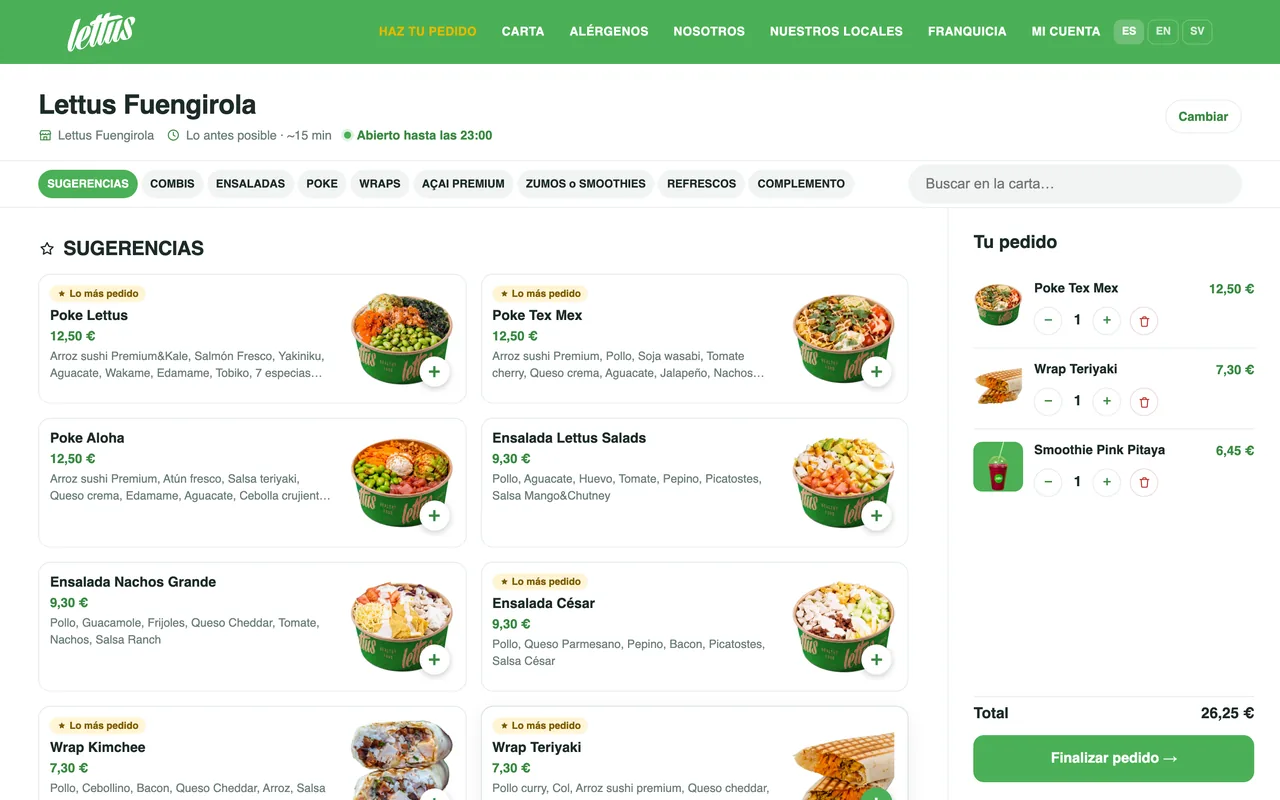
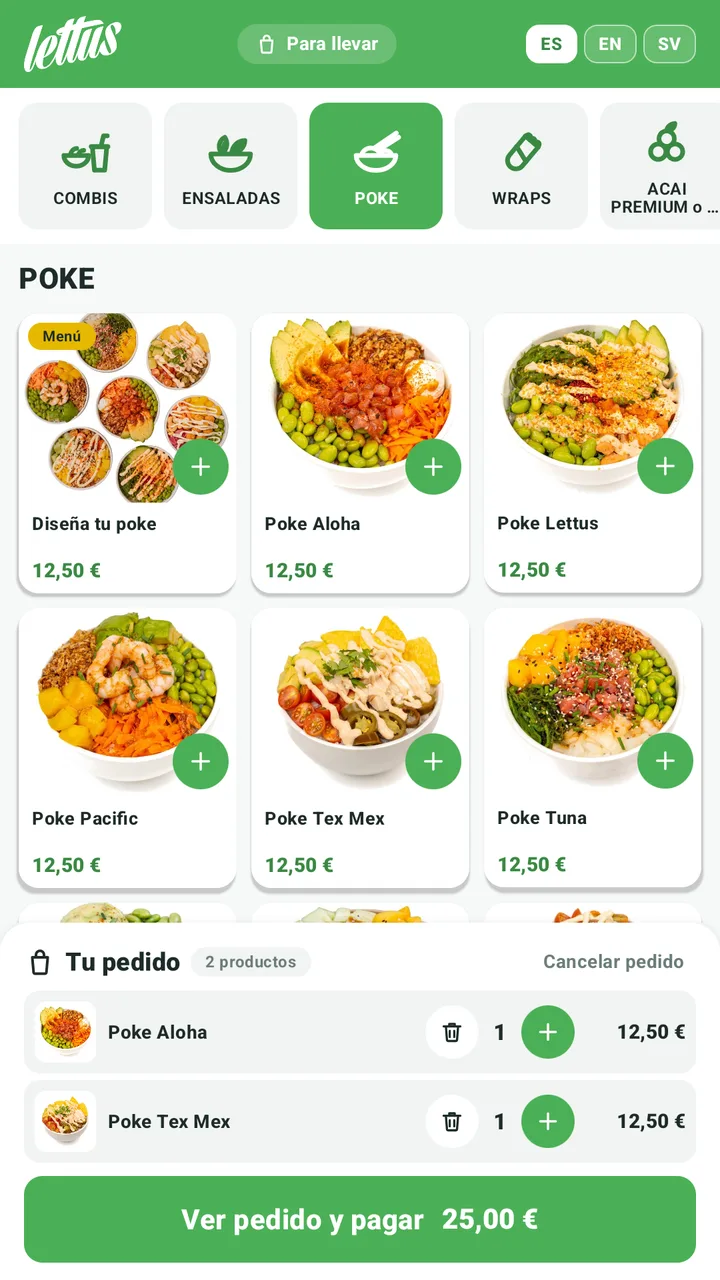
Categories at the top, search, and product cards with a big photo. The customer builds their dish step by step without leaving the menu, and the basket stays alongside with the total always in view.
- Made-to-order dishes, with minimums, maximums and add-ons
- Allergens on every dish
- Customer notes on each product
A single-screen checkout
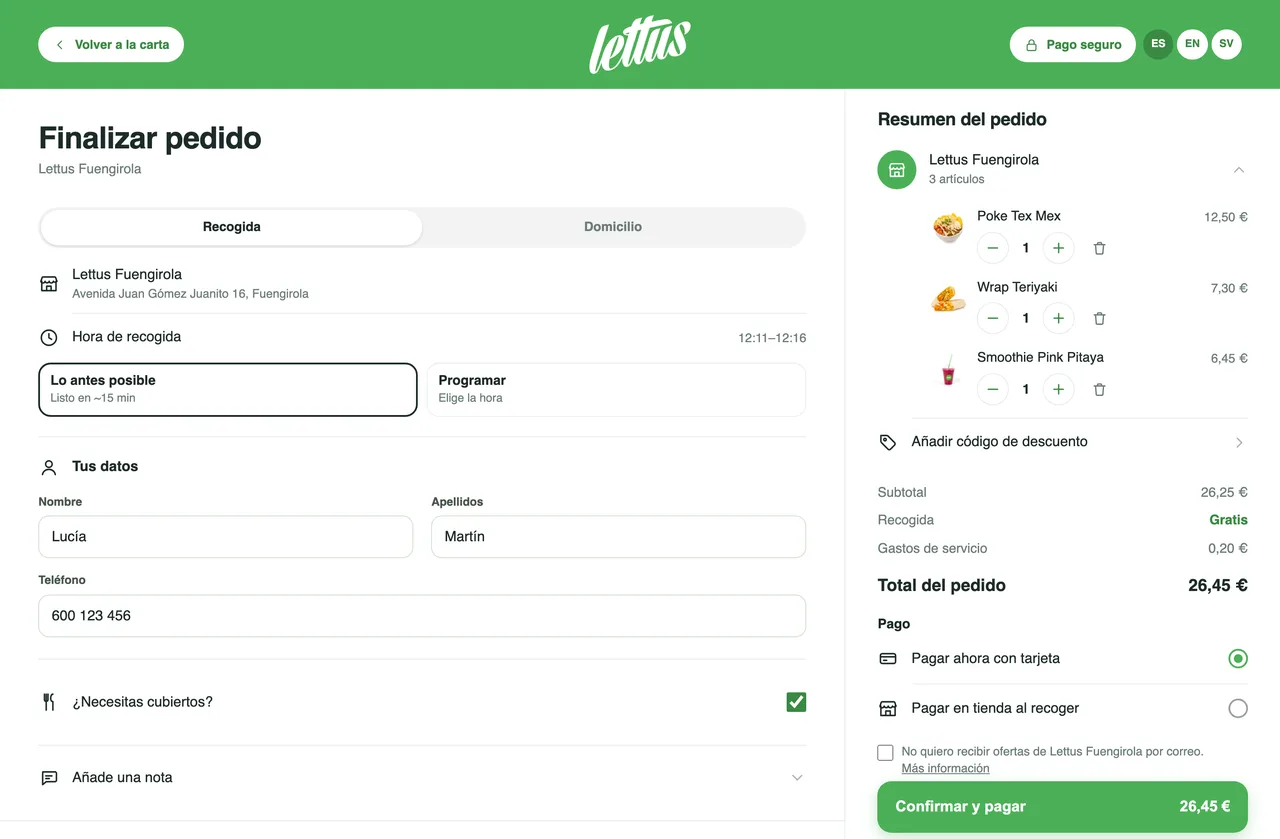
Collection or delivery with one tap, as soon as possible or at a set time, their details and payment, all in view. The order summary stays alongside and, before the order goes through, it's shown to them once more to check.
- Schedule day and time
- Coupons and gift card in the same step
- Need cutlery? The kitchen knows
A reason to come back and order from you
Every customer has an account in your store: their last order ready to repeat, their stamps, their invoices and their gift cards. No passwords to forget.
- Repeat an order with today's menu and prices
- Addresses with the exact spot for the rider
- Saved tax details and invoices one click away
One website for your whole network
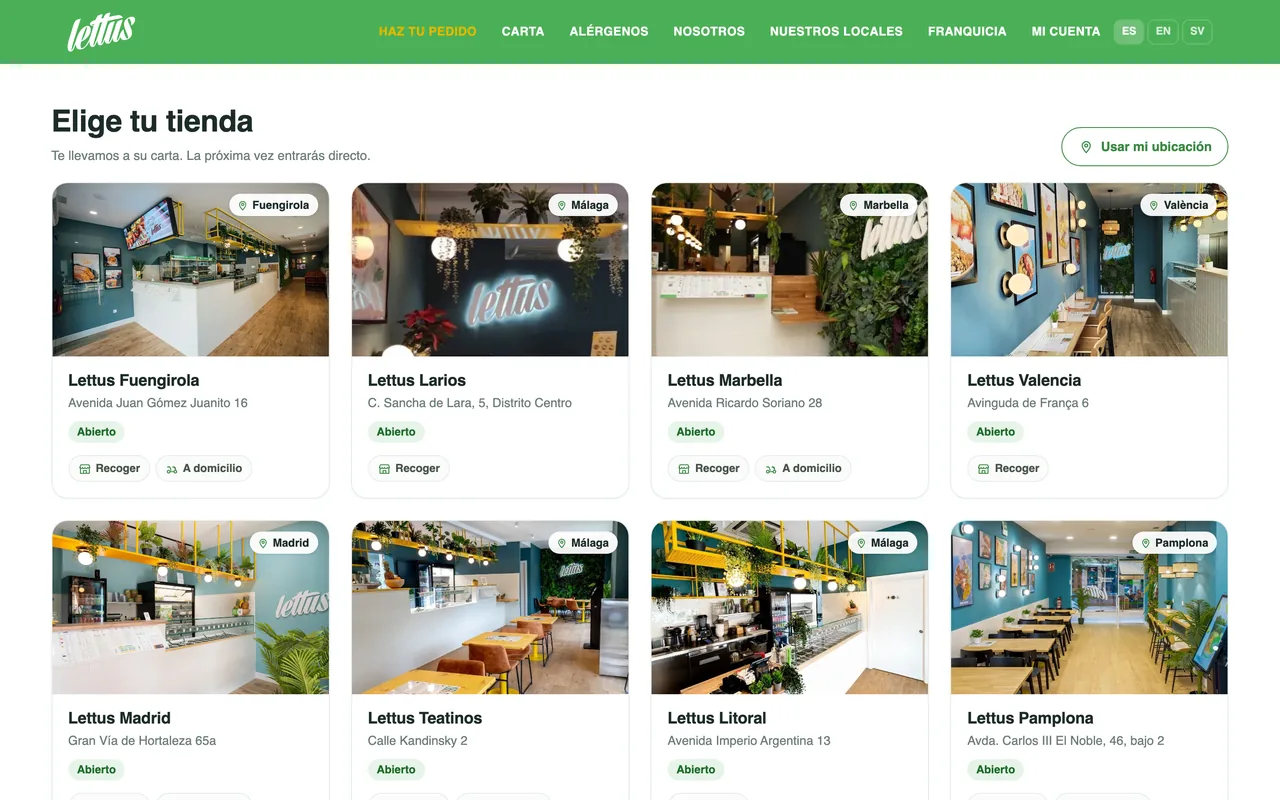
If you have more than one location, the customer picks theirs from a list with a photo and status, or uses their location to go straight to the nearest one. Each delivery address is served by the nearest store that's open.
- Switch store and keep the basket
- Each manager only sees their own location
- Coupons that only work where you say
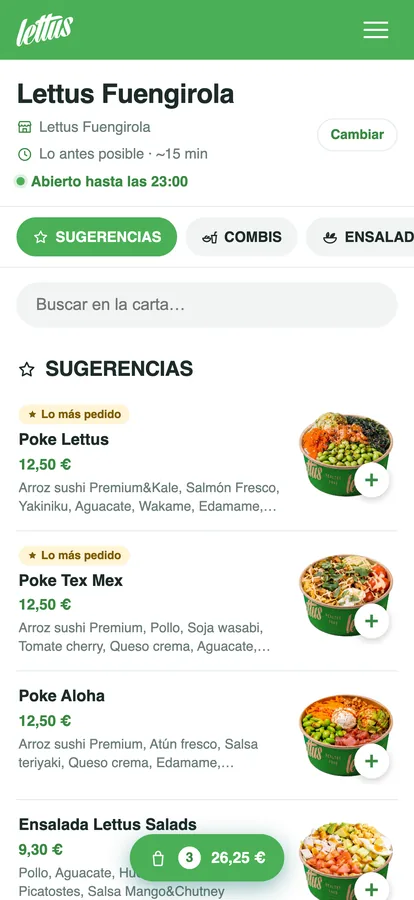
Built for the phone first
Most orders come from a phone. The menu runs in one column, the basket is always to hand and, once the order is placed, the customer follows its status live without reloading.
- Nothing to download: it runs in the browser
- Can be added to the home screen
- Live order tracking
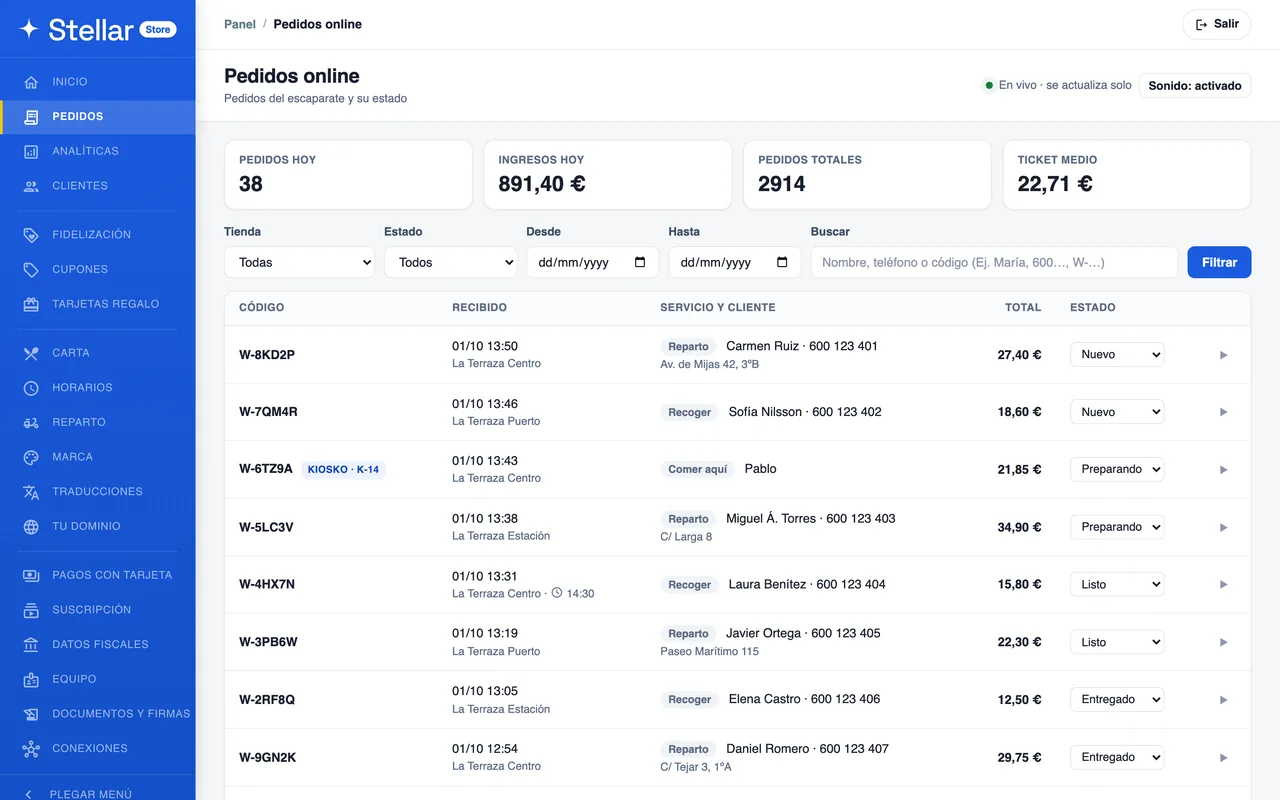
Orders come in and you hear about it
You see every order the moment it lands, from all your stores or just one, with its detail and its status. From there you change your opening hours, schedule holiday closures, pause the store if you're swamped or launch a coupon.
- Sound alert and a list that updates itself
- Full or partial refunds
- Your team, each with their own access
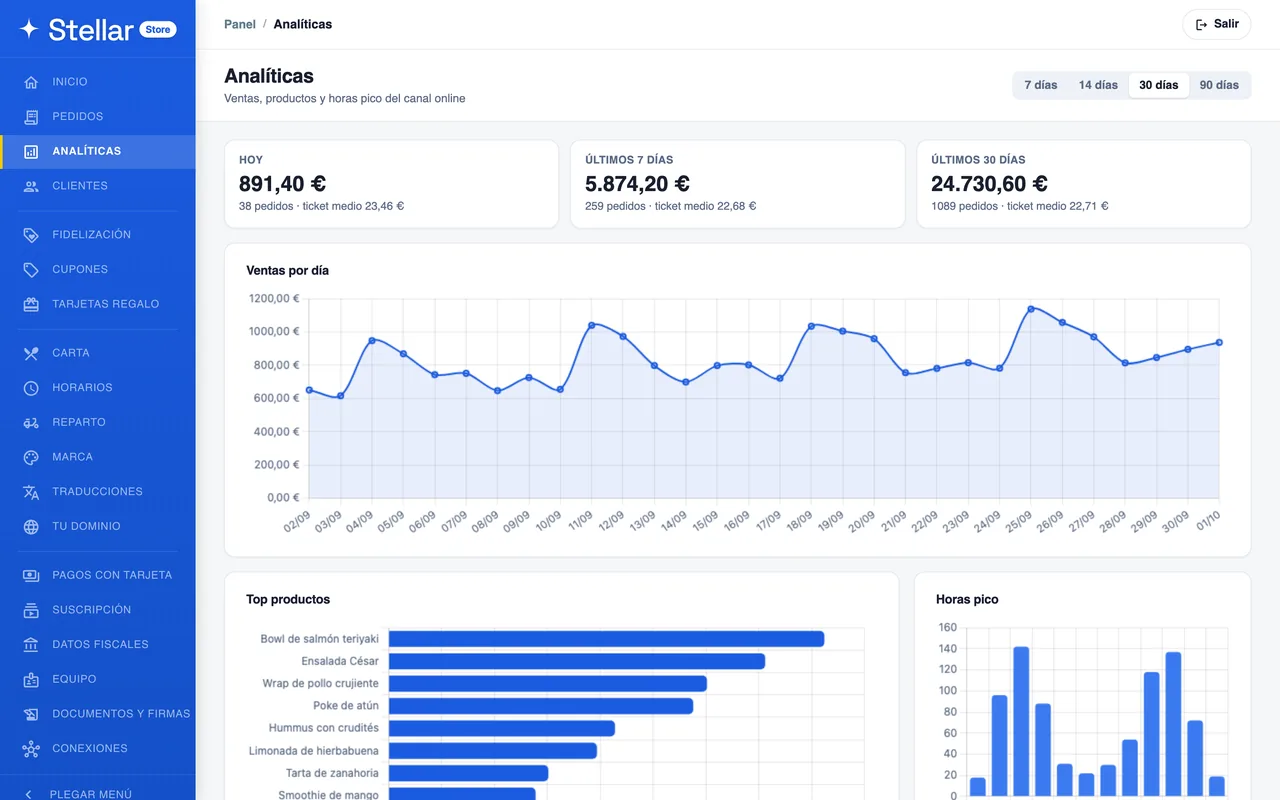
You know what sells, when and where
Sales by day, your best-selling dishes, your peak hours and how each store performs against the others. And under Customers, who hasn't ordered for a month, so you can win them back.
- From 7 to 90 days in one click
- Web and kiosk, shown separately
- Store-by-store comparison
Orders land in your POS
No copying them out by hand, and no extra tablet shouting at the pass. Web and kiosk orders land in the same place as your dine-in ones.
With Stellar POS: included, no commission
One menu for both: whatever you mark as sold out on the POS shows as sold out on the website instantly, and the order reaches the kitchen as soon as it's confirmed. One sale, one invoice and a single numbering sequence: if you remove a dish or issue a refund from the POS, the website refunds the money and issues the credit note.
Delivery with Stellar Riders
If you deliver with your own team, the delivery order passes from the POS to your riders' app with the exact spot the customer marked, the floor and their directions.
Without Stellar POS, the dashboard is enough
Orders land in your dashboard with a sound alert. From there you see the detail and change the status, and the customer follows it on their phone.
And the same menu, on your premises
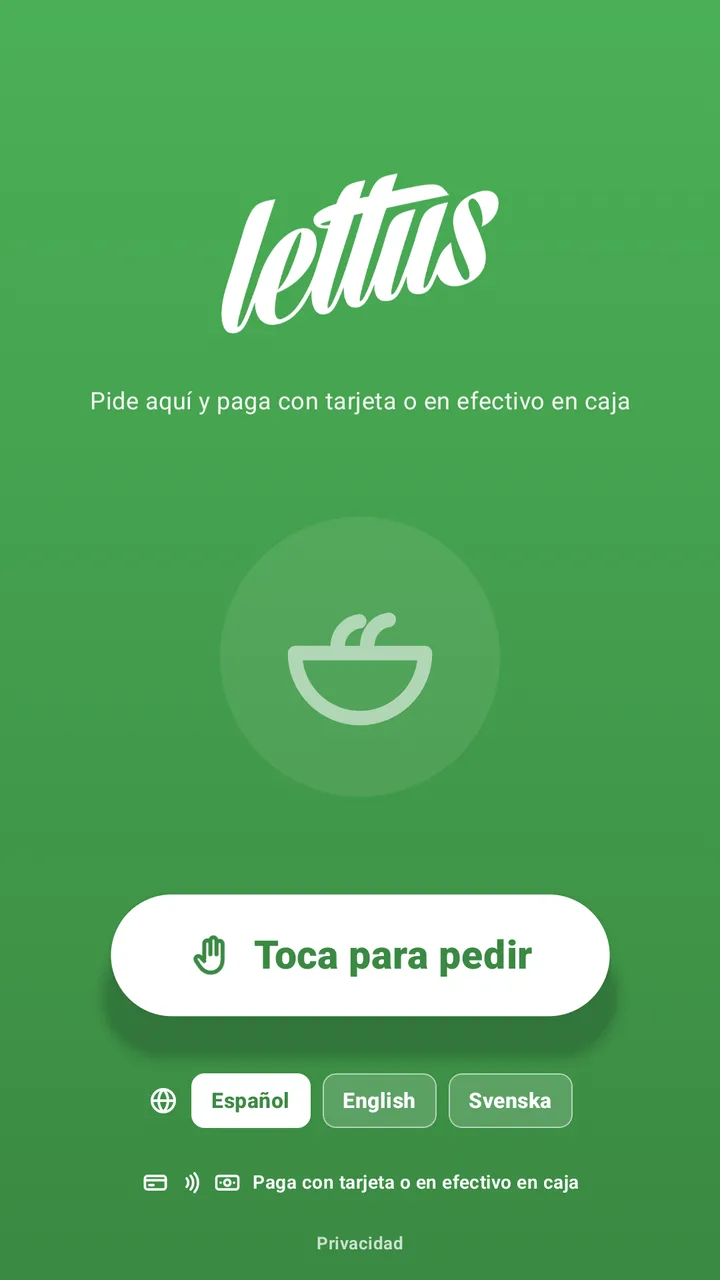
The self-service kiosk puts your menu on a screen inside your premises: whoever walks in the door orders on their own, chooses eat in or takeaway, gets their number and pays by card at the kiosk itself or, if you switch it on, in cash at the till. Orders land in the same dashboard as web orders.
The queue stops being the limit
At peak times the bottleneck isn't the kitchen: it's the counter. A screen takes orders while your team finishes theirs, and nobody walks out because there are five people waiting.
Nothing to learn, nothing to maintain
You build the menu in one place and choose where each dish appears: on the website, on the kiosk or on both. You can have a separate menu just for the kiosk.
The average order goes up on its own
Before finishing, the screen suggests rounding off the order with a drink or a dessert, every time and without rushing. A customer who isn't being hurried picks more than one with a queue behind them.
€125/month per location
Unlimited screens and orders, and kiosk orders don't count towards moving up a plan: you can switch your whole counter to self-service without your bill going up. You provide the screen and the card reader.
The numbers on an aggregator don't add up
A 30% commission isn't a sales channel: it's a business partner you never chose.
01You pay for having a store, not for selling
A monthly plan based on your orders and zero commission on what you sell. The bigger the order, the less it weighs. On an aggregator it's exactly the other way round.
02The customer is yours
Their email, their phone and their order history are in your dashboard. You can reward them and win them back without asking anyone's permission.
03No competitors inside your own house
Nobody is going to put an ad for the restaurant across the road on top of your menu. In your store, there's only you.
04Proven in real service
We use it every day in our own restaurants. It isn't a lab product — it's a tool built in the trenches.
From zero to selling in 3 steps
No installations, no technicians. You can do it yourself in an afternoon.
Create your account
You choose your store's address and pay the first month. The moment the payment lands, your store exists.
Build your menu
Upload your dishes with a photo and a price, set your opening hours and, if you deliver, your zones by distance. All from the dashboard.
Open up and get paid
Connect your Stripe account to take card payments, lift the pause and you're ready to send the link to your customers.
Your money and your data, where they belong
You get paid into your own account. We never touch or hold the money from your sales.
No small print
One plan per store, based on how many orders you take each month. No commission per order: what you sell is yours.
- Every feature included
- Unlimited products
- Card, Apple Pay and Google Pay into your account
- Your own domain
- Loyalty, coupons and gift cards
- Spanish, English and Swedish
Your questions, answered
Everything you need to know before you start.
It depends on how many orders you take each month, and there's no commission on your sales: up to 150 orders it's €89, from 151 to 350 it's €129, from 351 to 999 it's €199 and from 1,000 upwards it's €279. Always plus VAT and per store. You start on the €89 plan and, if you take more orders in a month, the difference is charged on the following month's invoice; if you take fewer, you drop back down automatically. The self-service kiosk is €125/month per location, with unlimited orders that don't count towards moving up a plan.
It's your menu on a screen inside your premises: whoever walks in orders on their own, chooses eat in or takeaway, gets their number and pays by card at the kiosk itself, with the Stripe reader, or, if you switch it on, in cash at the till. Orders land in the same dashboard as web orders. It's €125/month per location plus VAT, with unlimited screens and orders, and those orders don't count towards moving up a plan. You provide the screen and the card reader, and you add the kiosk when you sign up or later on.
You do. The store is yours, the orders land in your dashboard and the customer database is yours, order history included. There's no middleman keeping the contact details of the people who buy from you.
With Stripe. You set your account up from the dashboard in a few minutes: they'll ask for your company tax number, your IBAN and your ID document. From then on the money from every order goes straight into your bank account, without passing through us at any point. Your customers pay by card, Apple Pay or Google Pay, and you decide whether you also accept payment in store on collection. Stripe charges its fee on each card payment; we charge nothing per order.
Yes. You add them from your dashboard and each one has its own plan based on its orders. Your customers choose a store from a list showing each location's photo and status, or use their location to go straight to the nearest one, and each delivery address is served by the nearest store that's open. You see them all from the same dashboard, and you give each manager access to their own store only.
With your own team and Stellar Riders, the rider app connected to Stellar POS: the rider gets the address with the exact spot the customer marked on the map, the floor and their directions. You set the zones by distance, each with its own minimum order and delivery fee. If you don't have anyone to deliver, the store works for collection only.
No. They order from the browser on their phone or computer, with no passwords: they sign in with their email and a one-time code or link. If they like, they can add your store to their phone's home screen and open it like any other app.
Yes. Customers save their tax details in their account and request an invoice for any paid order; they can download it whenever they like, one at a time or the whole year's in a ZIP. If you later refund the order or part of it, the credit note is issued automatically.
Yes. You can serve your store on a subdomain of your own, say orders.yourbusiness.com, by pointing a CNAME record from your domain provider. We issue the certificate. In the meantime your store is already running on an address of ours from day one.
If you use Stellar POS, the connection is included and costs nothing: one menu for both (sold-out items included), web and kiosk orders go straight to the kitchen, and the website invoices with the same numbering as your POS. If you use another POS, there's no direct connection today: you build the menu in the store dashboard and handle orders from there, with their sound alert and their status.
From your dashboard, with no paperwork and no appointments. You read the terms, we send a one-time code to your email to confirm it's you, and you sign. It's recorded with your name, the date and the time, stamped by an independent timestamping authority, and you can download it whenever you like. Billing doesn't start until you've signed: nobody starts selling without knowing what they've agreed to.
No. No lock-in, no penalties. Cancel whenever you like from your dashboard and carry on using the service until the end of the period you've already paid for.