The Stellar POS admin isn't just a POS: it's your business's control centre. Menu, build-your-own meal deals, promotions, sales and invoices, till, team, multi-store and platform orders. Here's what you can do.
From the menu and meal deals to the end-of-day close, invoices and your team's permissions. All connected to the POS and the kitchen, and in the browser.
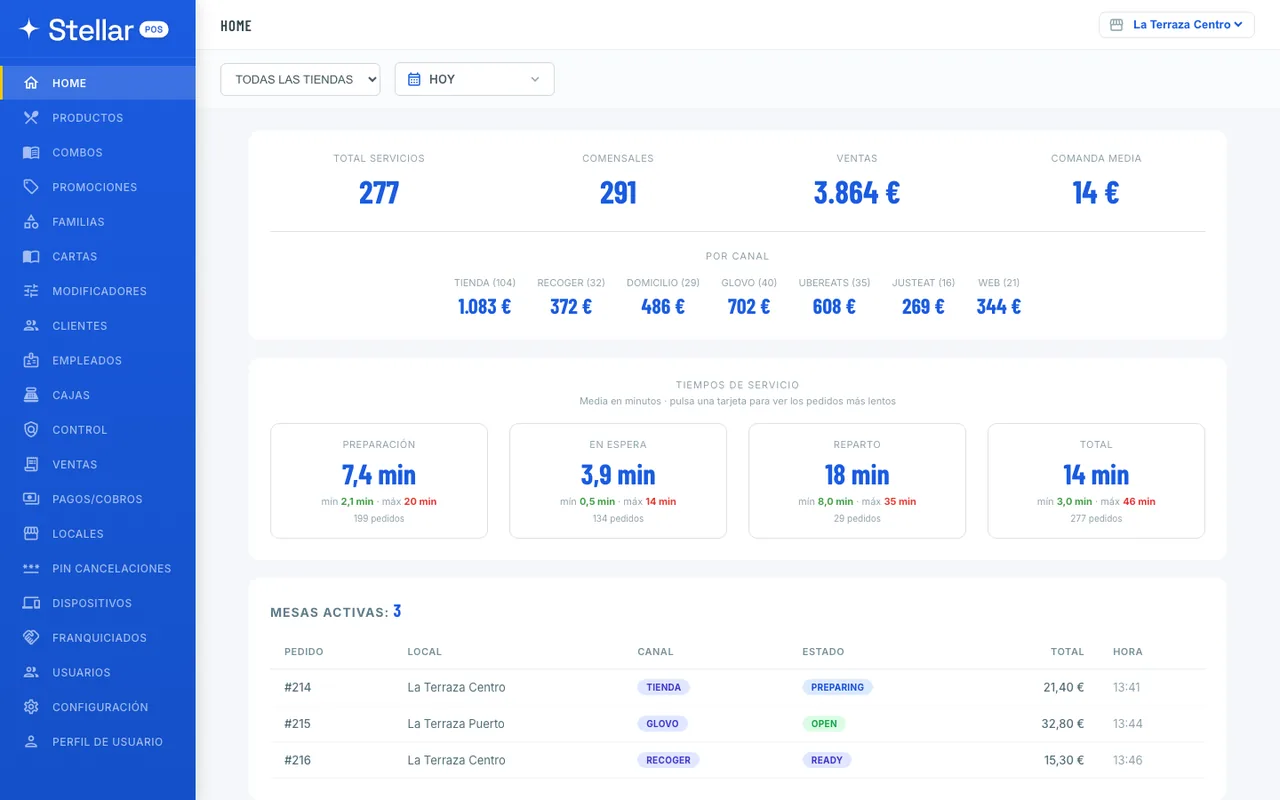
Open the panel and you see how the day, or any period you choose, is going: sales, orders served, average order value and the breakdown by channel, for one location or the whole chain.
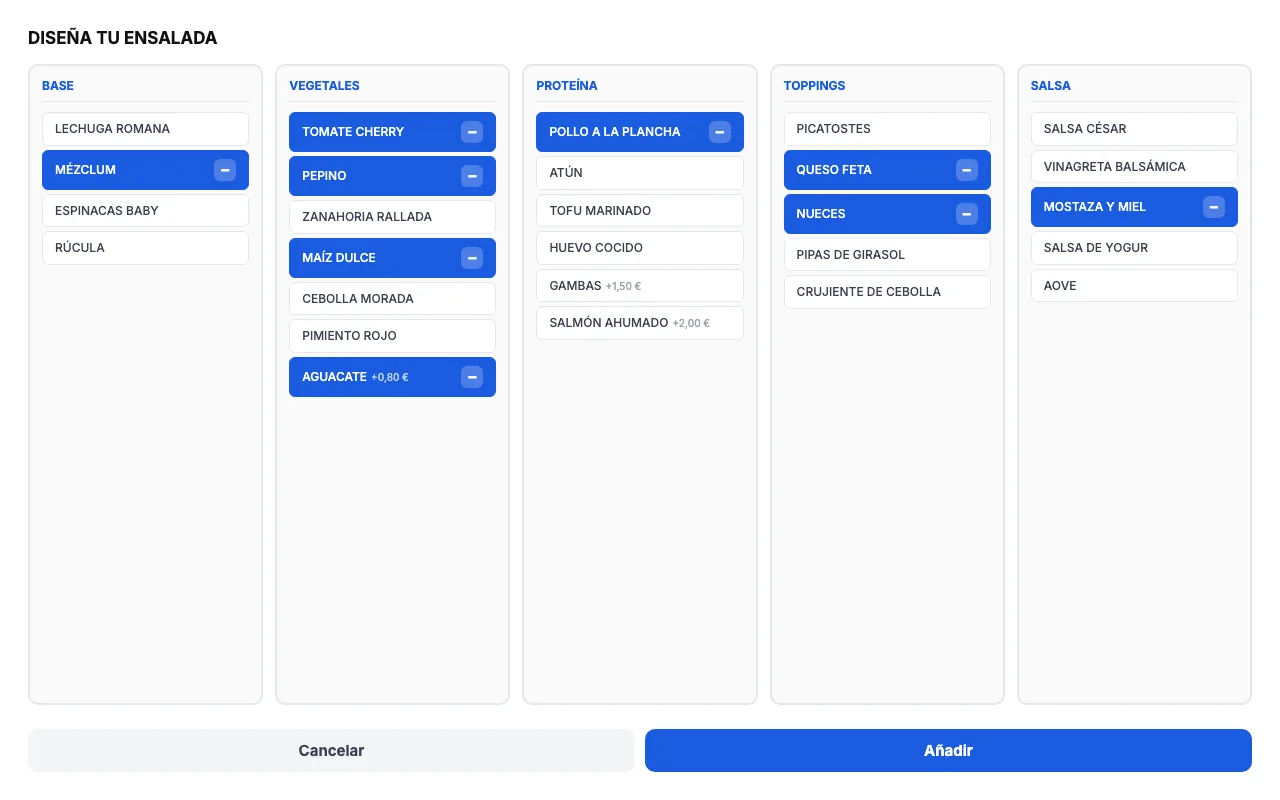
Products with dine-in and delivery prices, VAT, allergens and photos. Plus “build your own” meal deals: the customer picks base, protein, toppings and sauce, with paid extras added up automatically.
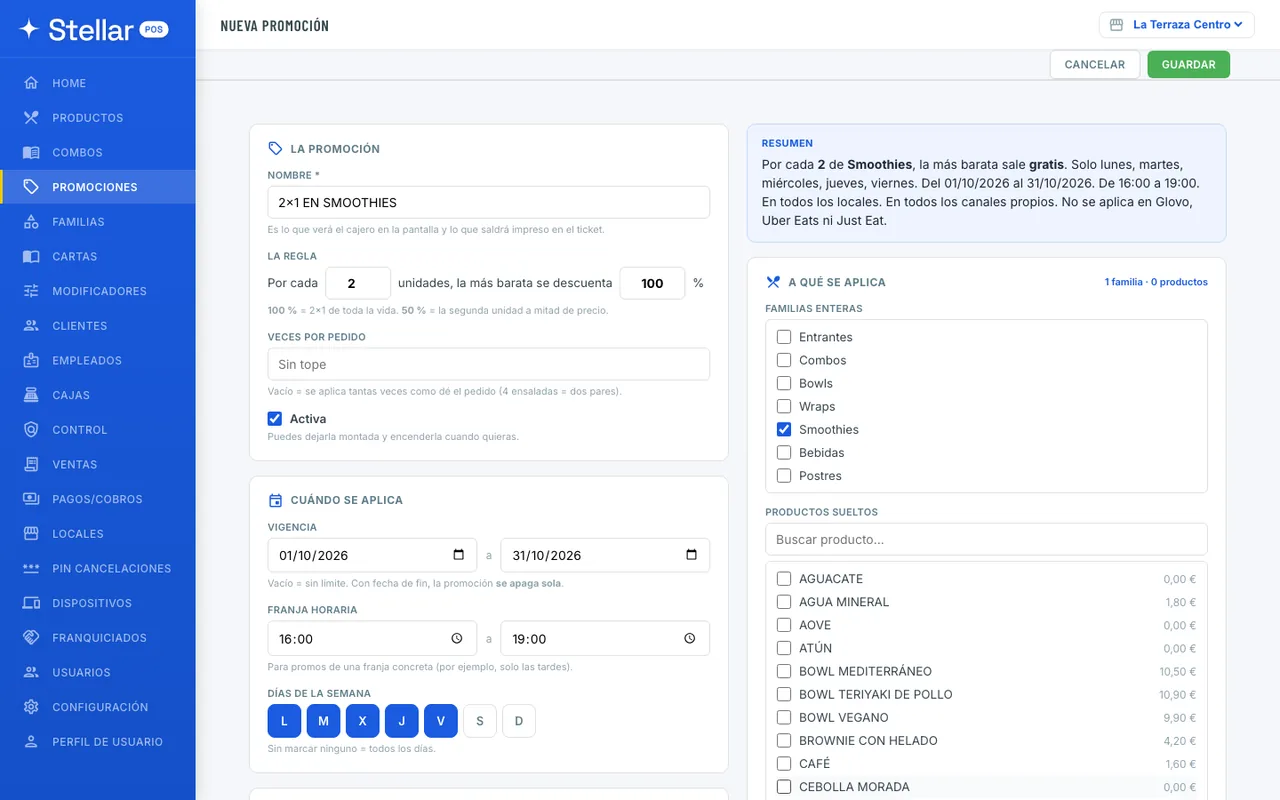
One clear rule: for every N items, the cheapest gets the percentage discount you set. It's calculated with the order's real prices, and a summary tells you in one sentence what it will do.
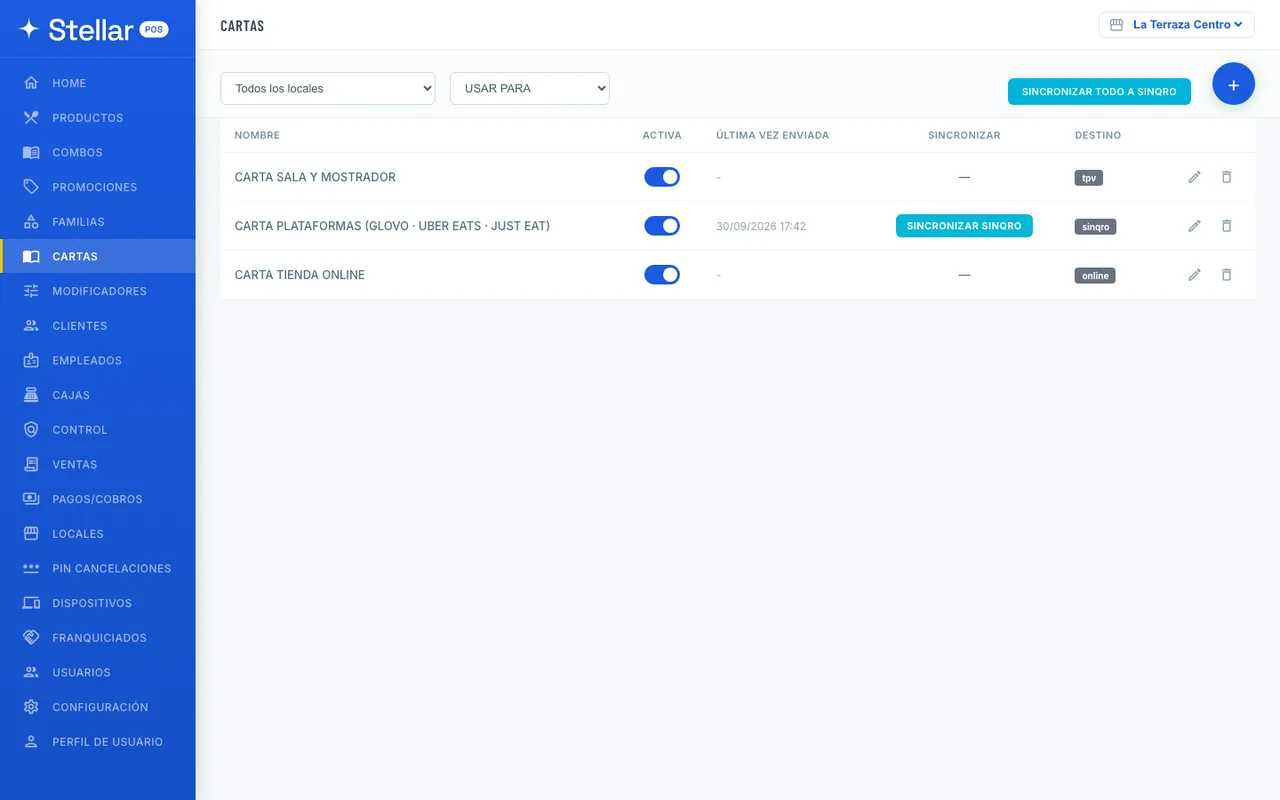
Prepare each location's POS menu, the platform menu and your online store menu from the same catalogue.
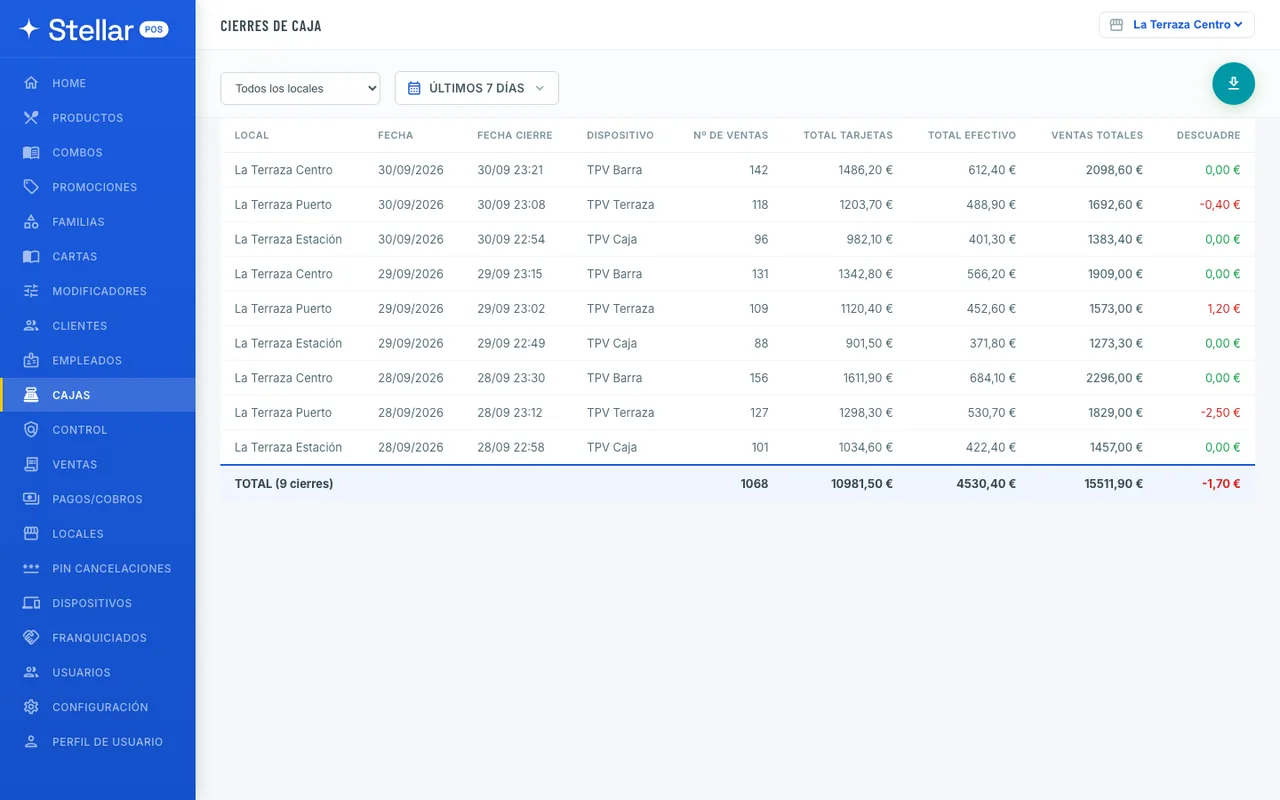
Each location closes its till with a Z report that separates cash, card, platforms and split payments. Here you see every close with its discrepancy and the total for the period.
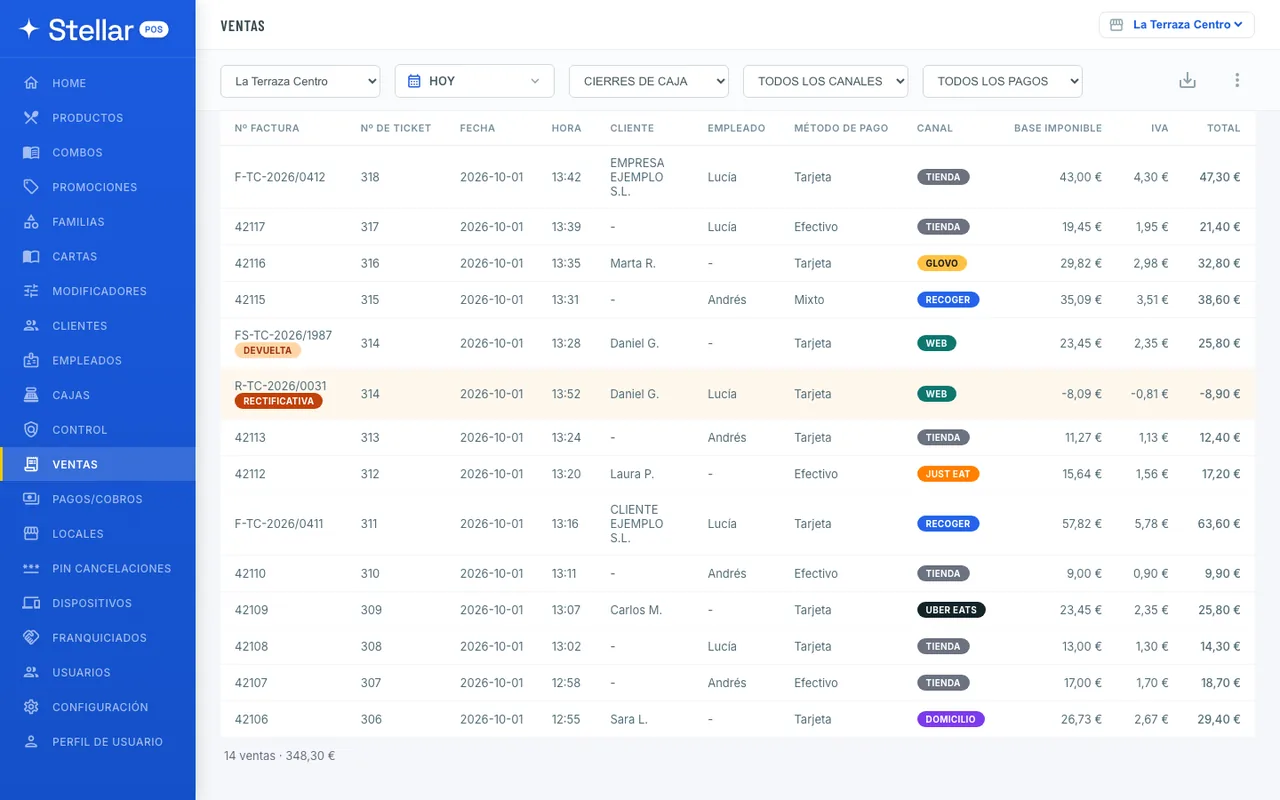
Every sale with its receipt, customer, staff member, payment method, channel, net amount and VAT. Invoices carry their series, and refunds their credit note.
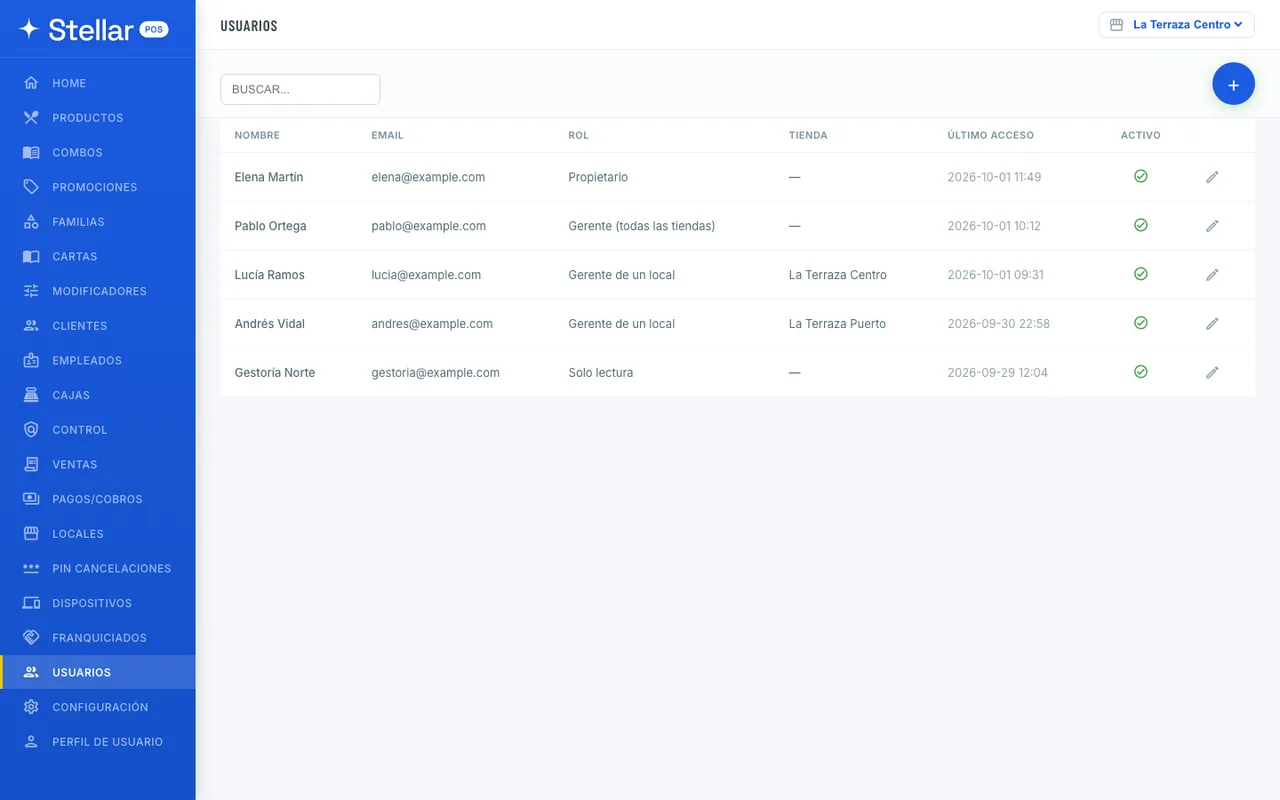
Staff with a PIN, customers with their order history and billing details, and panel users with role-based permissions, so each person only sees what's theirs.
Sales, orders served, channels, service times and rankings, by location or for the chain.
Dine-in and delivery prices, VAT, allergens, photos and sold-out status.
“Build your own” meal deals with choice groups and paid extras.
2-for-1 and second-item discounts at whatever percentage you like, with schedules and channels.
Organise the menu into product groups, each with its own illustration and colour.
POS, platform and web menus; send to Sinqro with one button.
Options per product or product group: included or paid, with rules.
Profile by phone number with addresses, order history and billing details.
Set up with a PIN and a colour on the kitchen display.
Each location's Z reports with their discrepancy and the total for the period.
Cancellations, discrepancies by day and orders that went unpaid.
Sales with their invoices, credit notes and a monthly Excel file for your accountant.
Money in and out of the till, with the reason and who did it.
Each location with its POS menu, printers, channels and connections.
One PIN per location for cancelling and refunding orders.
Each location's sales tablets and kitchen displays.
A read-only portal for each franchisee.
Role-based permissions for your panel team.
Company and billing details.
No lock-in and everything included. Or jump straight into the POS demo.
